





The importance of the workplace at home
Aim of this article:
Is to maximize efficiency, reduce fatigue, and prevent long-term health issues.
Lately, since Covid, many people are working from home remotely. It is not bad because it reduces costs: transportation, time, and even the food eaten at work is not the same as at home, many times. Also, because of the convenience, you buy fast food or from nearby restaurants because we live in the age of speed, and because of the time crisis, we buy from outside because we only take it from home because it is much more convenient to buy food at work from catering companies in the area. Why did I prefer to do or bring some important things in this article? Thinking about the fact that working from home is very important, ergonomics, the environment in which we work, the position, the light, and especially the colors that are part of the environment or the room in which we work are all important.
- The most important aspects are location, lighting, and the ergonomics of the furniture.
Bref: - Traffic around the workplace:
Avoid placing the desk near doors or close to the kitchen (noise) or living room if your family is watching TV or has visitors coming by. In our opinion about objects or other furniture in the house, it is recommended to avoid putting a sofa there. Why is it not recommended? Because psychologically, a sofa or bed provokes laziness and reminds you of sleep or comfort.
Windows and light - Light. Why is it recommended? Because eyes get fatigued, especially if you do video conferences. (Avoid sitting with your back to the window.) This can affect the clarity of the image. At night, you should use an adjustable light with a dimmer so you can adjust it as needed.
- Ergonomics:
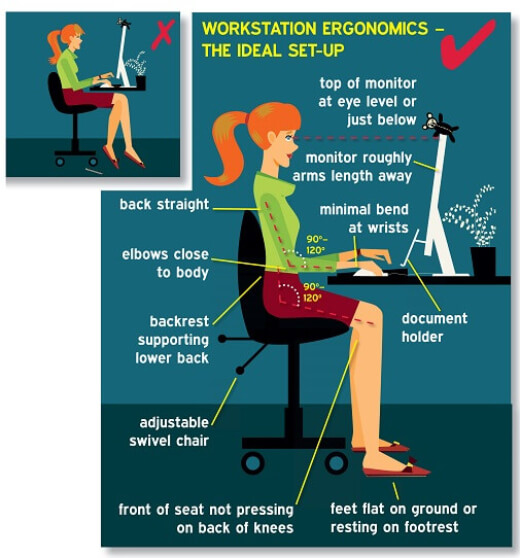
The desk should be more for your comfort (height measure and size), but so should the chair. Nowadays electric desks have appeared that can be adjusted if you take breaks every hour to work standing up (importance of blood circulation and reduction of spondylitis and inflammation). This is the benefit of a desk that you raise electrically.
Considerations: risk factors (fatigue, health, concentration). As long as you respect certain rules as long as you perform, efficiency is better.
Remember: every 50-60 minutes, take a break: move, be hydrated, ventilate the office (fresh air), and relax psychologically.
What to do to get better positions and planning.
The main elements to consider: The room, the position of the office. What is behind it? The noise, the design in the arrangement of the furniture that surrounds us, and access to the balcony, if applicable. Let’s start with the room. us, many people due to the space crisis; if they have a basement from the space crisis, they get in, and I think it is not recommended, only if it is well-ventilated and without moisture. Advantages (of the office in the basement): The only advantage is the quiet and isolation from family members and visitors. And the disadvantages: Sound, pressure, light, and humidity are the biggest inconveniences; in many cases, it is mold because they are not well-insulated. As I said, the basement can have humidity; it is good to have a “hygrometer” that measures humidity and possibly have a dehumidifier if necessary. Ventilation in this room is very important. The best is natural, by opening a window or door, but since the basement often does not offer much, it must be adapted somehow. space crisis, or if you have several rooms, it is good to be ventilated. I mean, the light, with great attention to the light, can be disturbing. Perpendicular to the window, without shadows and directly in the eyes, it can cause vision problems and also eye fatigue due to the contraction, but especially because of the light. Blinds or curtains must be used to reduce heat and provide comfort. Very important exposure to light, especially when working long hours at the computer. If you do not follow some rules, anyone who works on the computer may have problems with the following: Symptoms of computer vision syndrome. The intensity of the symptoms depends on the level of visual abilities of each person, as well as the time spent in front of digital screens. Uncorrected vision problems such as myopia and astigmatism; the ability of the eyes to focus an image or eye coordination skills; and changes in the aging eyes, such as presbyopia, can contribute to the development of visual symptoms when using a computer or digital screen device.
- The most common symptoms associated with computer vision syndrome are:
• Eye strain
• Headaches
• Blurred vision
• Dry eyes
• Neck and shoulder pain
These symptoms can be caused by:
• Poor lighting
• High monitor contrast
• Incorrect viewing distances
• Incorrect posture
•Uncorrected refractive error
• A combination of fatigue due these factors
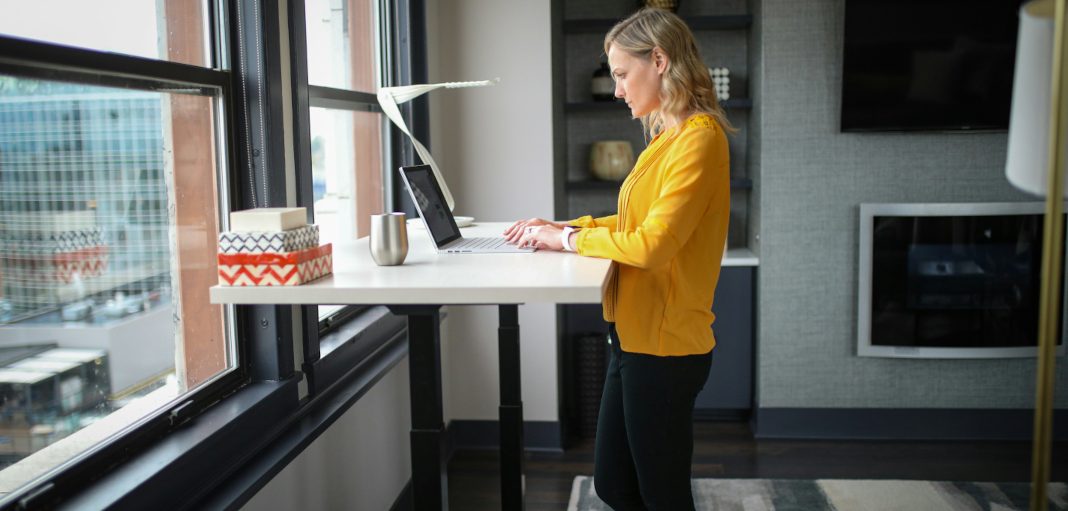
Photo by TheStandingDesk
Note:
Another factor that you have to take into consideration.
Never put a bed or sofa where you work.
Never have a TV in the room; it can distract you.
Never have a fridge that remembers… you eating.
Close the windows if it affects your working (outside noise).
Talk to your family to respect your time framework… avoid social media and respond only to important calls.
The background of your desk has to be clear and prepared for video conferencing, including the lights and lamp. It is not recommended to keep detergents and cleaning products in the room because it can affect your health. These products contain volatile substances and chemicals that can affect your health in the long term. Every hour, have a break of 5-10 min for some movements, walking, and body exercise to have better blood flow in the legs, hands, and body. Always keep a bottle of water to stay hydrated.
Things to Remember
Comfort, temperature, humidity, noise and distraction, breaks (every hour or so), and hydration play a major role in your activities.
Advantages working from home
Thank to Pușcaș Adryan form pexels.com
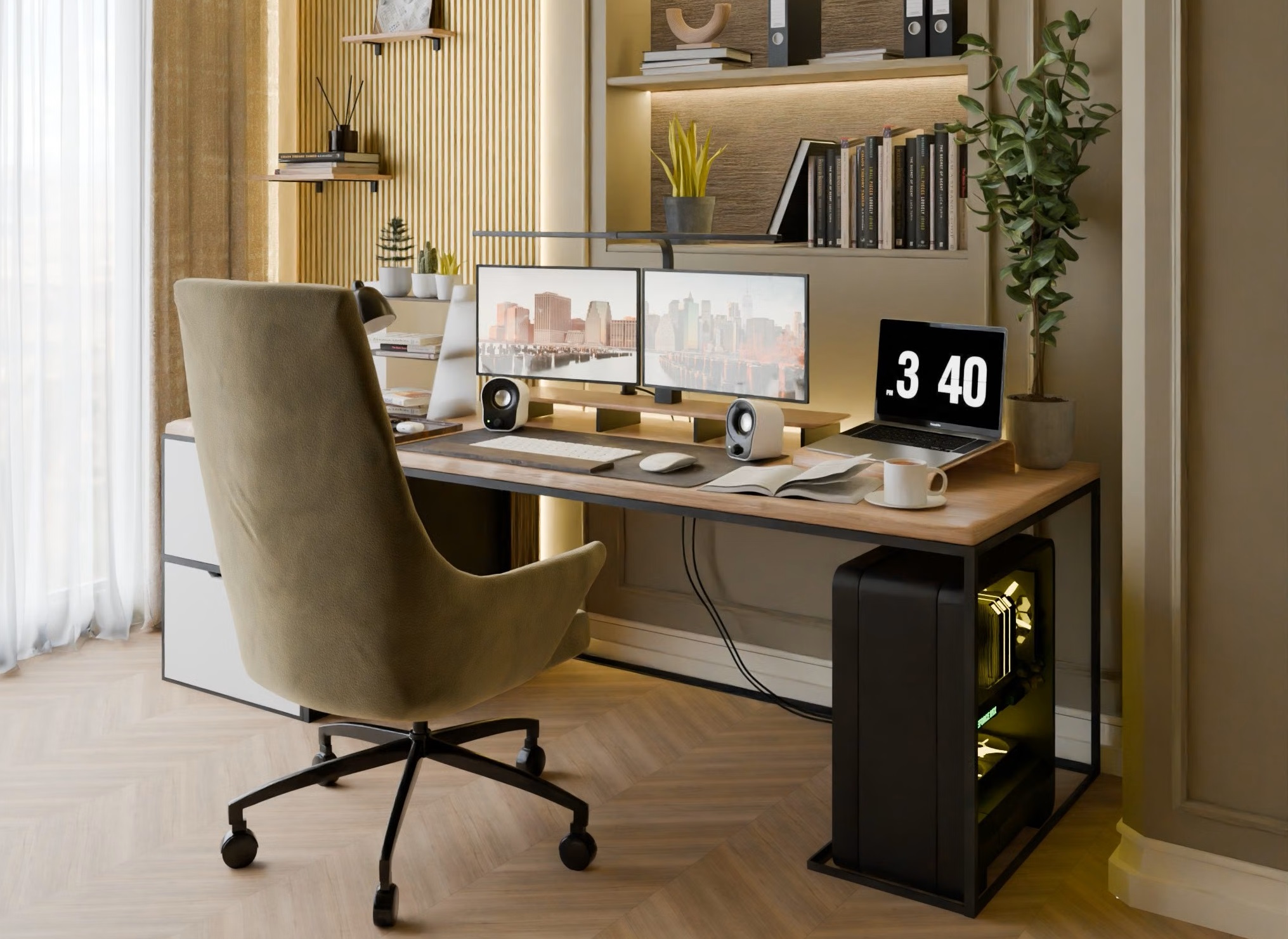
Picture source: https://www.pexels.com/photo/minimalist-home-office-setup-with-dual-monitors-31525131/ Thank to Pușcaș Adryan
About The Author